How to compress photos without losing quality: effective tools and methods
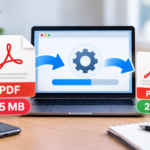
Compressing a photo without losing quality is often necessary to send it, upload it online, or insert it into documents and PDFs. In this guide, you will find the most effective methods to reduce image file size while maintaining excellent visual quality, using free tools, built-in features, and reliable online solutions.
Compressing a photo without losing quality is an increasingly common need, both personally and professionally. Images taken with modern smartphones, digital cameras, or saved as screenshots often have large sizes, making it difficult to send via email, upload to websites, or insert into PDF documents. Reducing the size of a photo does not necessarily mean ruining it. Today there are tools and methods that allow you to compress images intelligently, maintaining excellent visual quality while drastically reducing the file size. In this guide, we will see how to do it correctly, avoiding the most common mistakes.
Digital images contain a large amount of information. Beyond the visible pixels, a photo can include technical metadata, color profiles, device information, and shooting settings. The higher the resolution, the larger the file size. Modern smartphones take images with very advanced sensors, producing photos of several megabytes each. This is great for quality, but becomes a problem when you need to share images quickly or upload them online.
Lossy and lossless compression
When talking about image compression, it is important to distinguish between two different approaches:
Lossless compression: reduces size by eliminating redundant information, without altering visual quality;
Lossy compression: reduces size more significantly by sacrificing a minimal part of the data, often imperceptible to the human eye.
Many modern tools use “intelligent” lossy compression, which allows obtaining much lighter files without any real visible loss of quality.
When is compressing a photo really useful
Image compression is particularly useful in several cases:
before sending photos via email or WhatsApp;
before uploading them to a website or a CMS;
before inserting them into a PDF document;
to reduce space occupied on cloud and devices;
to improve webpage loading times.
In many professional contexts, compressing images is not just a convenience, but a real necessity.
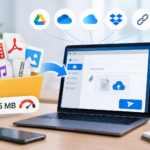
Compress photos online without installing software
Online services are one of the fastest solutions to compress images. They work directly from the browser and do not require installation.
TinyPNG / TinyJPG: excellent for drastically reducing the size of PNG and JPG files;
Squoosh: an advanced tool developed by Google, with manual quality control;
ImageOptim Web: ideal for lossless compression;
CompressJPEG: simple and immediate.
These tools are perfect for occasional use or for compressing a few images at a time.
Compress photos on Windows
On Windows there are several methods to reduce the size of images. The simplest uses functions already integrated in the system:
Open the image with the Photos app;
Select the export or resize option;
Choose a lower resolution;
Save the new version.
For more control, you can use free software like IrfanView, GIMP, or XnView, which allow managing quality, format, and compression more precisely.
Compress photos on macOS
macOS offers very effective tools for image compression. The Preview app allows you to export photos by adjusting the quality level in a few clicks. Alternatively, ImageOptim offers automatic and lossless compression, ideal for those who often work with images and want to reduce size without visual compromise.
Compress photos from smartphones
It is also possible to compress images before sharing from smartphones. There are numerous apps that allow reducing photo size while maintaining good quality. Dedicated applications are available on Android and iPhone, but Google Photos can also automatically reduce image quality during backup, saving space.
Metadata and hidden information in photos
Besides pixels, photos can contain additional information such as GPS location, date and time of the shot, and device data. These elements do not greatly affect size but can be relevant for privacy. Before sharing compressed images, it can be useful to check and remove sensitive information:
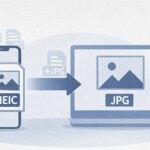
If you need to convert images into PDF, compressing photos before conversion is always recommended. This allows you to obtain lighter documents, easy to share and archive. Proper compression ensures a good balance between visual quality and final file size.
Conclusion
Compressing photos without losing quality is now a simple operation, thanks to free tools and solutions integrated into the main operating systems. Reducing image size improves digital file management, speeds up sharing, and optimizes storage space usage. Whether you work from a computer or smartphone, by following these methods you can get lightweight images, of quality and ready for any use.
Per fornire le migliori esperienze, utilizziamo tecnologie come i cookie per memorizzare e/o accedere alle informazioni del dispositivo. Il consenso a queste tecnologie ci permetterà di elaborare dati come il comportamento di navigazione o ID unici su questo sito. Non acconsentire o ritirare il consenso può influire negativamente su alcune caratteristiche e funzioni.
Funzionale
Always active
L'archiviazione tecnica o l'accesso sono strettamente necessari al fine legittimo di consentire l'uso di un servizio specifico esplicitamente richiesto dall'abbonato o dall'utente, o al solo scopo di effettuare la trasmissione di una comunicazione su una rete di comunicazione elettronica.
Preferenze
L'archiviazione tecnica o l'accesso sono necessari per lo scopo legittimo di memorizzare le preferenze che non sono richieste dall'abbonato o dall'utente.
Statistiche
L'archiviazione tecnica o l'accesso che viene utilizzato esclusivamente per scopi statistici.L'archiviazione tecnica o l'accesso che viene utilizzato esclusivamente per scopi statistici anonimi. Senza un mandato di comparizione, una conformità volontaria da parte del vostro Fornitore di Servizi Internet, o ulteriori registrazioni da parte di terzi, le informazioni memorizzate o recuperate per questo scopo da sole non possono di solito essere utilizzate per l'identificazione.
Marketing
L'archiviazione tecnica o l'accesso sono necessari per creare profili di utenti per inviare pubblicità, o per tracciare l'utente su un sito web o su diversi siti web per scopi di marketing simili.