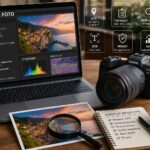
Every digital image, besides the visual content, can contain hidden information called EXIF data (Exchangeable Image File Format). These metadata include information such as:
Date and time the photo was taken
Device used (brand and model of the camera or smartphone)
1. Right-click on the photo
2. Select “Properties” → “Details” tab
3. Scroll to find information about the camera, date, settings, and GPS (if available)
On Mac
1. Open the photo with the “Preview” app
2. Go to “Tools” → “Show Inspector” (⌘+I)
3. In the “Info” tab you will find metadata, including any GPS data
How to read EXIF data from a smartphone
On Android
Many devices already show EXIF data in the Gallery app. For more detailed information, you can use free apps such as:
Photo Exif Editor
ExifTool for Android
Image EXIF Editor
On iPhone
1. Open the Photos app
2. Tap a photo and swipe up
3. You will see the date, time and a map if GPS data is available
For additional information you can use the app Metapho o ViewExif
Privacy Notice
EXIF data may contain sensitive information, such as the exact location of the shot. If you publish images online, consider removing them beforehand. Some online tools (such as VerExif) allow you to view or delete them with a click.
Per fornire le migliori esperienze, utilizziamo tecnologie come i cookie per memorizzare e/o accedere alle informazioni del dispositivo. Il consenso a queste tecnologie ci permetterà di elaborare dati come il comportamento di navigazione o ID unici su questo sito. Non acconsentire o ritirare il consenso può influire negativamente su alcune caratteristiche e funzioni.
Funzionale
Always active
L'archiviazione tecnica o l'accesso sono strettamente necessari al fine legittimo di consentire l'uso di un servizio specifico esplicitamente richiesto dall'abbonato o dall'utente, o al solo scopo di effettuare la trasmissione di una comunicazione su una rete di comunicazione elettronica.
Preferenze
L'archiviazione tecnica o l'accesso sono necessari per lo scopo legittimo di memorizzare le preferenze che non sono richieste dall'abbonato o dall'utente.
Statistiche
L'archiviazione tecnica o l'accesso che viene utilizzato esclusivamente per scopi statistici.L'archiviazione tecnica o l'accesso che viene utilizzato esclusivamente per scopi statistici anonimi. Senza un mandato di comparizione, una conformità volontaria da parte del vostro Fornitore di Servizi Internet, o ulteriori registrazioni da parte di terzi, le informazioni memorizzate o recuperate per questo scopo da sole non possono di solito essere utilizzate per l'identificazione.
Marketing
L'archiviazione tecnica o l'accesso sono necessari per creare profili di utenti per inviare pubblicità, o per tracciare l'utente su un sito web o su diversi siti web per scopi di marketing simili.