Photo Geolocation: How to Find Out Where a Picture Was Taken
Do you have a photo saved in your gallery or found online and want to know where it was taken? There are simple tools to geolocate it even without GPS enabled.
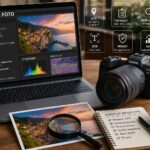
Digital images can contain information invisible to the human eye, but very valuable: these are called EXIF data and can also include the GPS coordinates of the exact place where the photo was taken.
Summary
In this guide, we explain how to:
Read EXIF data to geolocate a photo
Use online tools to find a place starting from an image
Understand when geolocation data is not available
What does it mean to geolocate a photo?
Geolocating a photo means pinpointing the exact spot on a map where it was taken. This is only possible if the photo contains GPS coordinates in its metadata (EXIF).
Photos taken with smartphones automatically save this information if geolocation is active. Those edited or sent via social media often lose it.
How to view the EXIF data of a photo
On computer
Windows: right-click on the photo → Properties → Details
macOS: open the photo with “Preview” → Tools → Show Inspector
On smartphone
Android: use apps like “Photo Exif Editor”
iPhone: swipe up in the Photos app to see the map
How to find a place starting from a photo
If EXIF data is not present or not visible, you can use AI-based tools:
Google Lens: identifies monuments, landscapes, and signs
Google Images o TinEye: finds similar images already online
Pic2Map e Exif.tools: read coordinates if available
Many social networks automatically remove EXIF data. If you receive an image from WhatsApp, Facebook, or Instagram, it is likely that it no longer contains GPS coordinates.
Is it possible to manually add geolocation?
Yes. You can insert coordinates into a photo using:
GeoSetter (Windows)
ExifTool (multi-platform)
Photo Exif Editor (Android) or Metapho (iOS)
FAQ
How can I know where a photo was taken?
Check if the image contains EXIF data and GPS coordinates. If not present, use tools like Google Lens to visually analyze the scene.
Do photos automatically save the location?
Only if taken with geolocation enabled. Some devices or apps may not include this information by default.
Can I geolocate a photo received from WhatsApp?
Probably not, because WhatsApp removes EXIF data for privacy. Ask for the original via email or visually analyze the photo.
Is it legal to identify the location of someone else’s photo?
Yes, for personal or informational use. If you share the location online, make sure you are not violating the privacy of other individuals.
Per fornire le migliori esperienze, utilizziamo tecnologie come i cookie per memorizzare e/o accedere alle informazioni del dispositivo. Il consenso a queste tecnologie ci permetterà di elaborare dati come il comportamento di navigazione o ID unici su questo sito. Non acconsentire o ritirare il consenso può influire negativamente su alcune caratteristiche e funzioni.
Funzionale
Always active
L'archiviazione tecnica o l'accesso sono strettamente necessari al fine legittimo di consentire l'uso di un servizio specifico esplicitamente richiesto dall'abbonato o dall'utente, o al solo scopo di effettuare la trasmissione di una comunicazione su una rete di comunicazione elettronica.
Preferenze
L'archiviazione tecnica o l'accesso sono necessari per lo scopo legittimo di memorizzare le preferenze che non sono richieste dall'abbonato o dall'utente.
Statistiche
L'archiviazione tecnica o l'accesso che viene utilizzato esclusivamente per scopi statistici.L'archiviazione tecnica o l'accesso che viene utilizzato esclusivamente per scopi statistici anonimi. Senza un mandato di comparizione, una conformità volontaria da parte del vostro Fornitore di Servizi Internet, o ulteriori registrazioni da parte di terzi, le informazioni memorizzate o recuperate per questo scopo da sole non possono di solito essere utilizzate per l'identificazione.
Marketing
L'archiviazione tecnica o l'accesso sono necessari per creare profili di utenti per inviare pubblicità, o per tracciare l'utente su un sito web o su diversi siti web per scopi di marketing simili.